SentinelOne
This Adapter allows you to stream SentinelOne activities, threats, and alerts to LimaCharlie via SentinelOne API.
Deployment Configurations
All adapters support the same client_options, which you should always specify if using the binary adapter or creating a webhook adapter. If you use any of the Adapter helpers in the web app, you will not need to specify these values.
client_options.identity.oid: the LimaCharlie Organization ID (OID) this adapter is used with.client_options.identity.installation_key: the LimaCharlie Installation Key this adapter should use to identify with LimaCharlie.client_options.platform: the type of data ingested through this adapter, liketext,json,gcp,carbon_black, etc.client_options.sensor_seed_key: an arbitrary name for this adapter which Sensor IDs (SID) are generated from, see below.
Adapter-specific Options
Adapter Type: sentinel_one
domain- your SentinelOne MGMT endpoint,https://<your-instance>.sentinelone.netapi_key- SentinelOne API tokenstart_time- optional start time to fetch past events.urls- Advanced, CLI only: a comma-separated list of REST API paths to scrub. If omitted, by default the adapter brings activities, alerts, and threats:
Deployment Examples
Web App
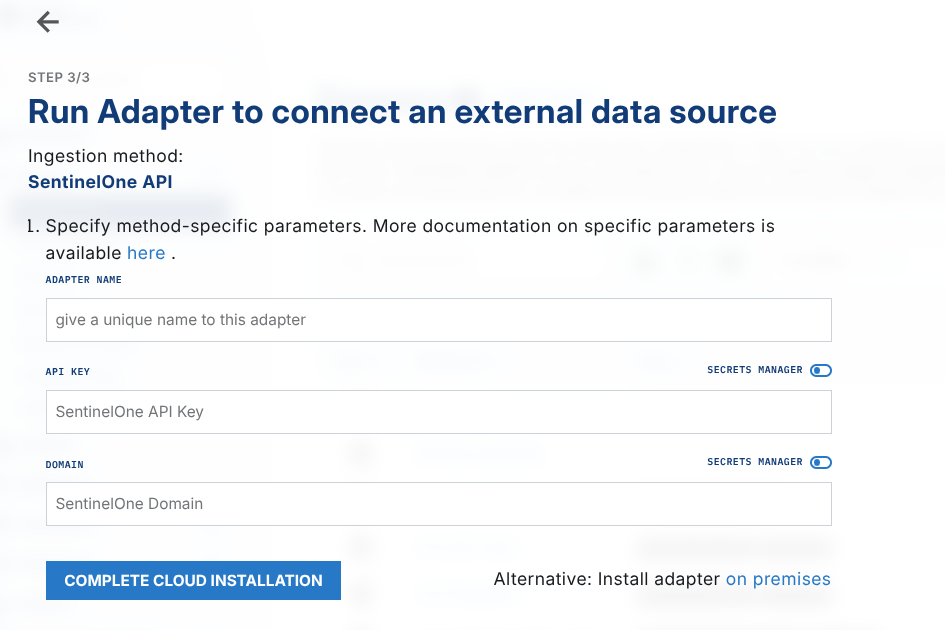
On the Sensors page, Add Sensor, and choose SentinelOne sensor type. Fill out the parameters, and complete the cloud installation.
On-prem deployment
Follow docs Adapter Deployment, download the binaries for your platform, and run the adapter:
./lc_adapter sentinel_one client_options.identity.installation_key=714e1fa5-aaaa-aaaa-aaaa-aaaaaaaaaaaa client_options.identity.oid=aaaaaa-aaaa-aaaa-aaaa-aaaaaaaaaaaa client_options.platform=sentinel_one client_options.hostname=s1 client_options.sensor_seed_key=s1 'domain=https://datacenter.sentinelone.net' "api_key=$S1_API_KEY"