Ingesting Sysmon Event Logs
Sysmon can be a valuable addition to any defender's toolkit, given it's verbosity and generous log data. It's worth noting that LimaCharlie's native EDR capabilities mirror much of the same telemetry. However, Sysmon and LimaCharlie can be combined to provide granular coverage across Windows systems.
With Sysmon deployed, you can utilize LimaCharlie's native Windows Event Log (WEL) streaming capabilities to bring logs into the Sensor timeline.
-
Install Sysmon on the endpoint.
-
This can easily be done via LimaCharlie's Payload functionality, with a rule, or manually.
- Please note that the LimaCharlie agent must be restarted in order for Sysmon data to show up in the timeline.
-
Example rule to deploy Sysmon via payloads on Windows systems tagged with
deploy-sysmon:2. Within the Organization where you wish to collect Sysmon data, go to thedetect: events: - CONNECTED op: and rules: - op: is platform name: windows - op: is tagged tag: deploy-sysmon respond: - action: task command: put --payload-name sysmon.exe --payload-path "C:\Windows\Temp\sysmon.exe" - action: wait duration: 10s - action: task command: put --payload-name sysmon-config.xml --payload-path "C:\Windows\Temp\sysmon-config.xml" - action: wait duration: 10s - action: task command: run --shell-command "C:\Windows\Temp\sysmon.exe -accepteula -i C:\Windows\Temp\sysmon-config.xml" - action: wait duration: 10s - action: task command: file_del "C:\Windows\Temp\sysmon.exe" - action: task command: file_del "C:\Windows\Temp\sysmon-config.xml" - action: remove tag tag: deploy-sysmon - action: task command: restartEvent Collection > Event Collection Rulessection.
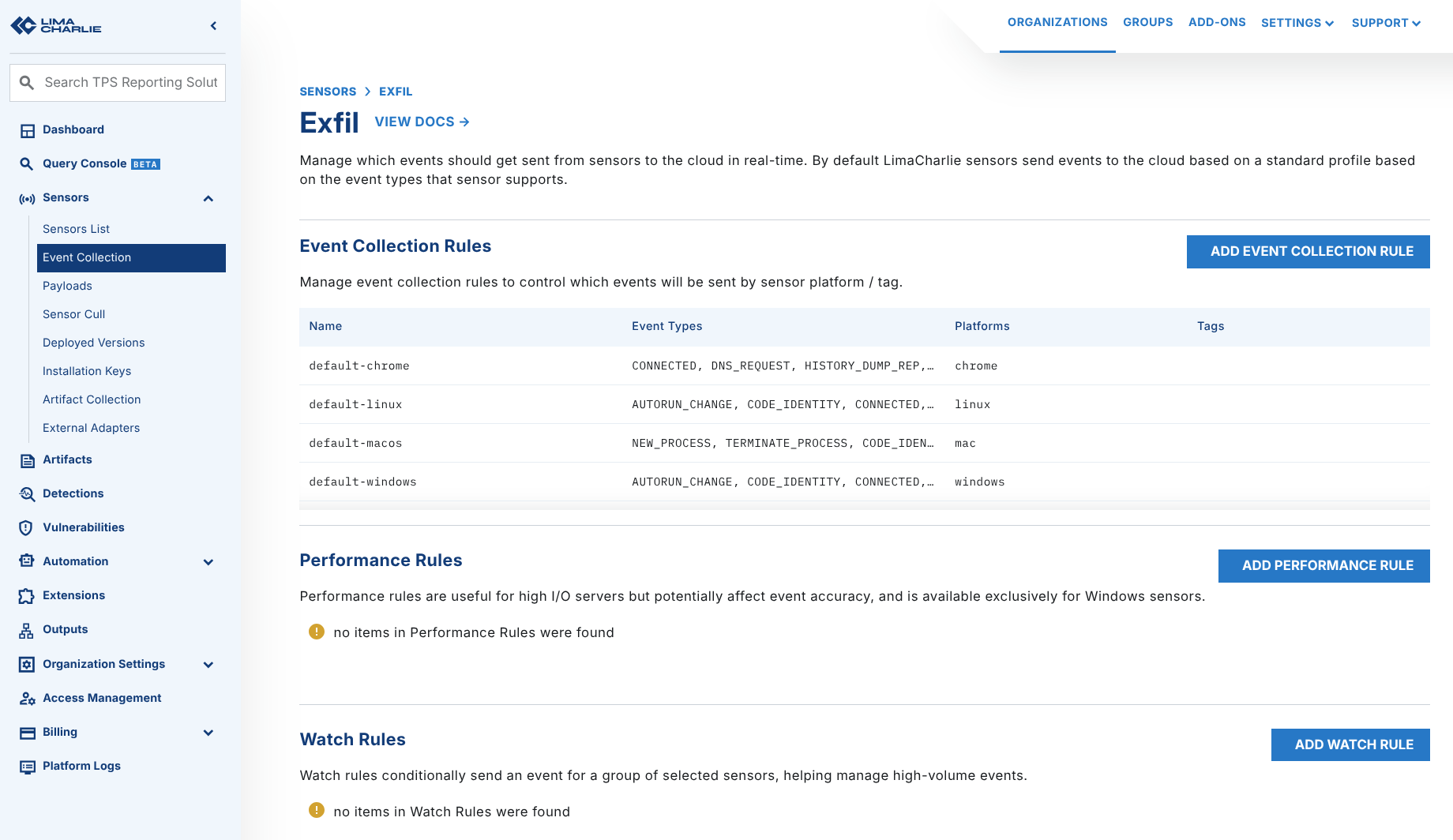
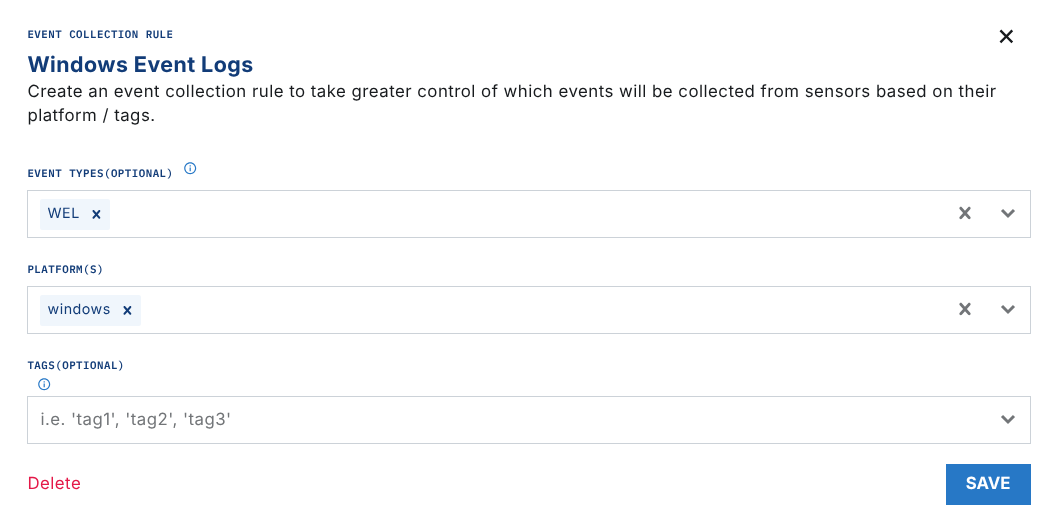
- Ensure that for Windows systems,
WELevents are collected.
- Go to the
Artifact Collectionsection and add a new collection rule with the following path to bring in all Sysmon events:
wel://Microsoft-Windows-Sysmon/Operational:*
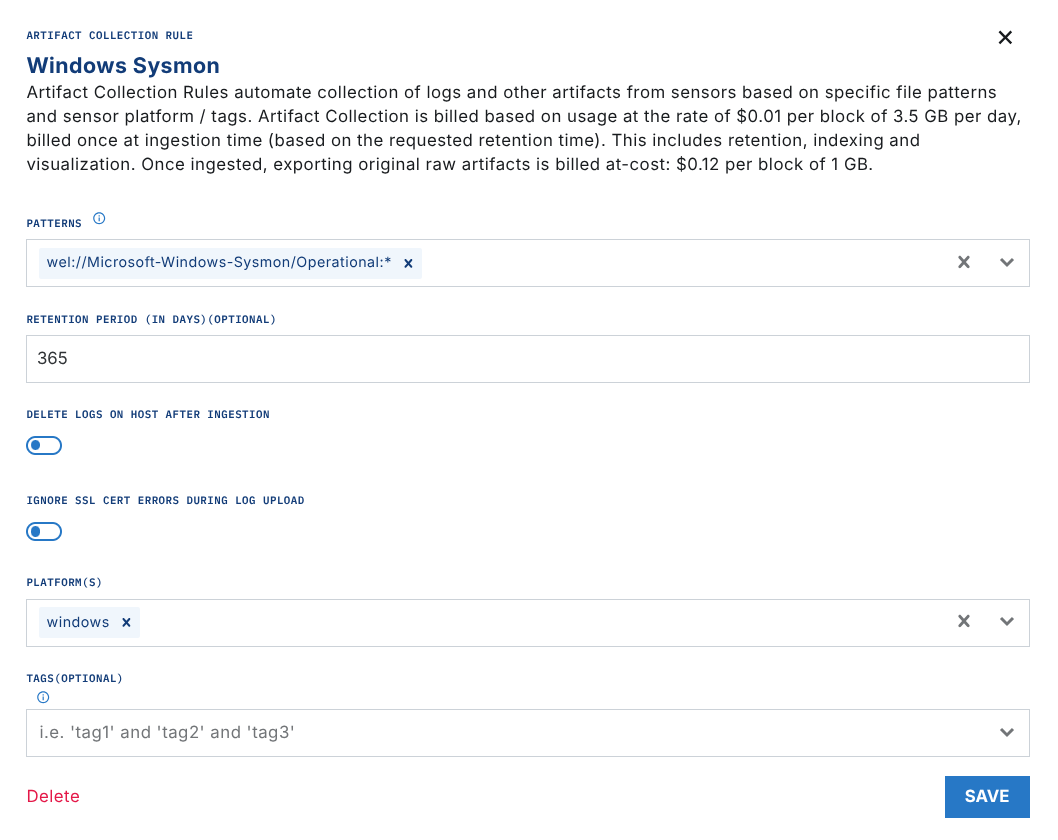
Note: You can use tagging or other filters to narrow down the systems that logs are collected from.
Event Filtering
You can filter events by event ID to import select events. For example:
wel://Microsoft-Windows-Sysmon/Operational:16
wel://Microsoft-Windows-Sysmon/Operational:25
- Allow up to 10 minutes for data to come into LimaCharlie after setting up a new Artifact Collection rule. Data will flow in real-time after that point.
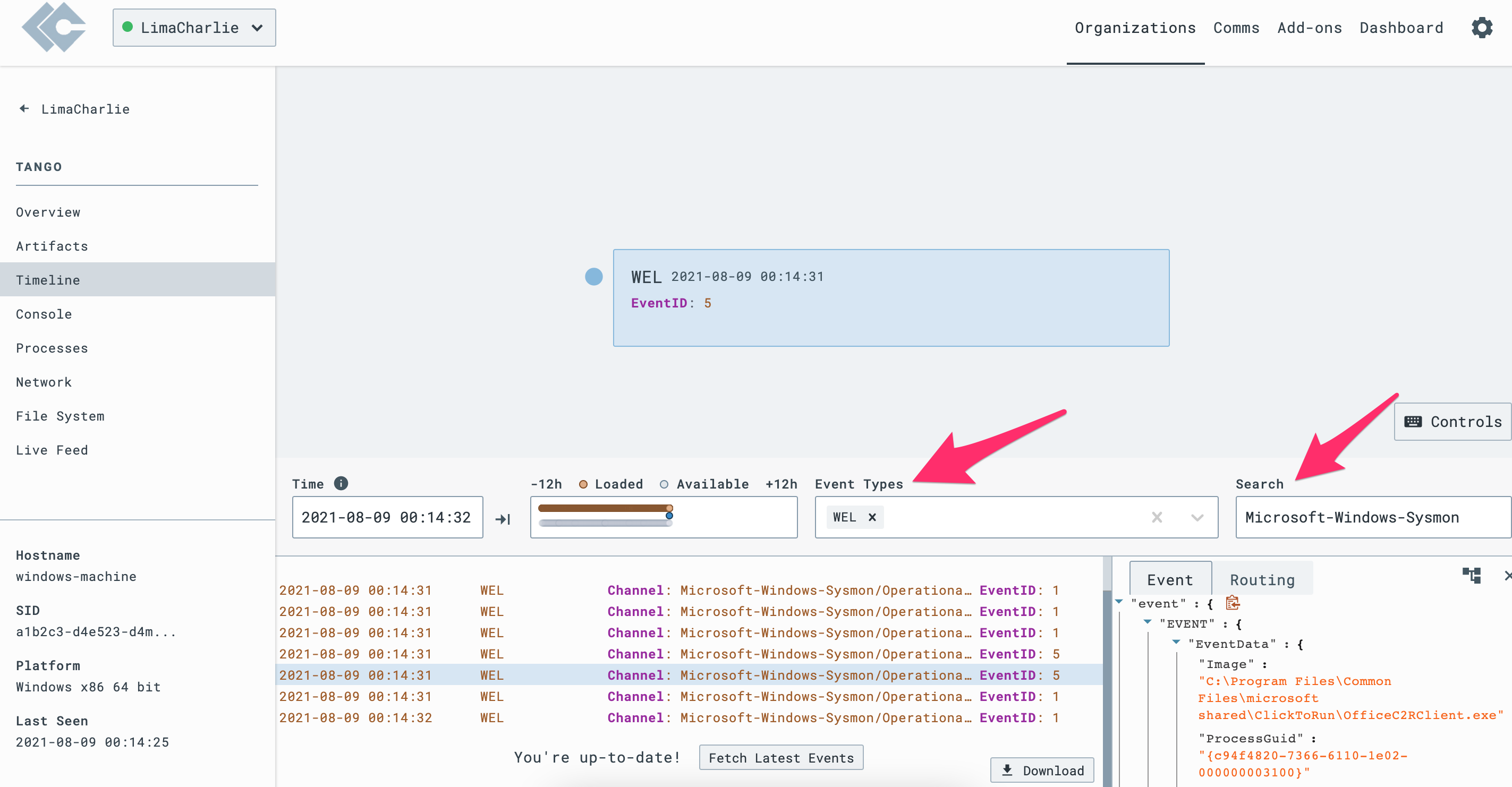
- Navigate to the Timeline view of a Sensor to confirm that Sysmon logs are present. You can search for Event Type
WELand Search forMicrosoft-Windows-Sysmonto validate the telemetry.