Zeek
Zeek Extension Pricing
While it is Free to enable the Zeek extension, pricing is applied to processed PCAPs at a rate of $0.02/GB.
Zeek is a comprehensive platform for network traffic analysis and intrusion detection.
Once enabled, this extension allows you to generate Zeek logs from packet capture (PCAP) files collected via Artifacts. The resulting Zeek log files are subsequently parsed and pushed into the ext-zeek Sensor timeline as JSON. You can create detection & response rules to automate based on Zeek log data.
LimaCharlie will automatically kick off Zeek based on the artifact ID provided in a rule action.
Configuration
To enable the Zeek extension, navigate to the Zeek extension page in the marketplace. Select the Organization you wish to enable the extension for, and select Subscribe.
When enabled, you may configure the response of a D&R rule to run Zeek against an artifact event. Here is an example D&R rule:
Detect:
Respond:
- action: extension request
  extension action: run_on
  extension name: ext-zeek
  extension request:
    artifact_id: '{{ .routing.log_id }}'
    retention: 30
Results
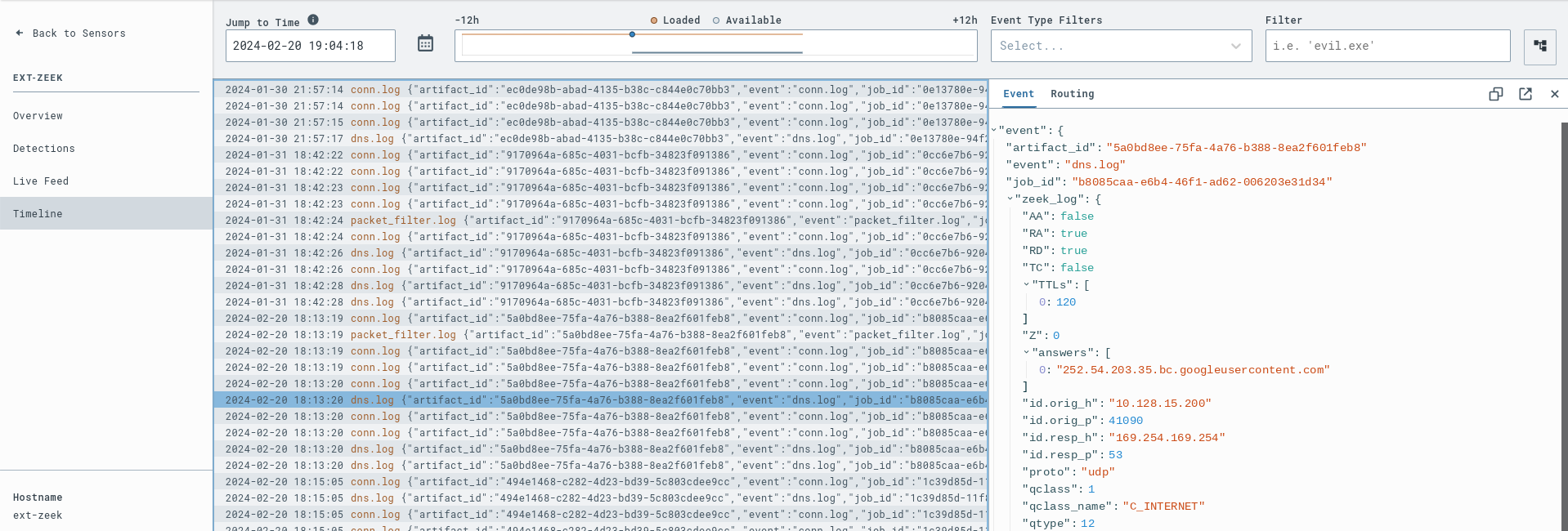
Upon running Zeek, several JSON log files are generated. The log files are parsed and pushed into the ext-zeek sensor timeline.
Usage
Via Automatic PCAP Collection
Note: This is only available on Linux sensors
Enable PCAP collection on your Linux sensors via a PCAP capture rule within the artifact collection extension.
For example, if you have an interface ens4 and would like to gather PCAPs of network traffic on that interface on TCP port 80, you would craft the following rule.
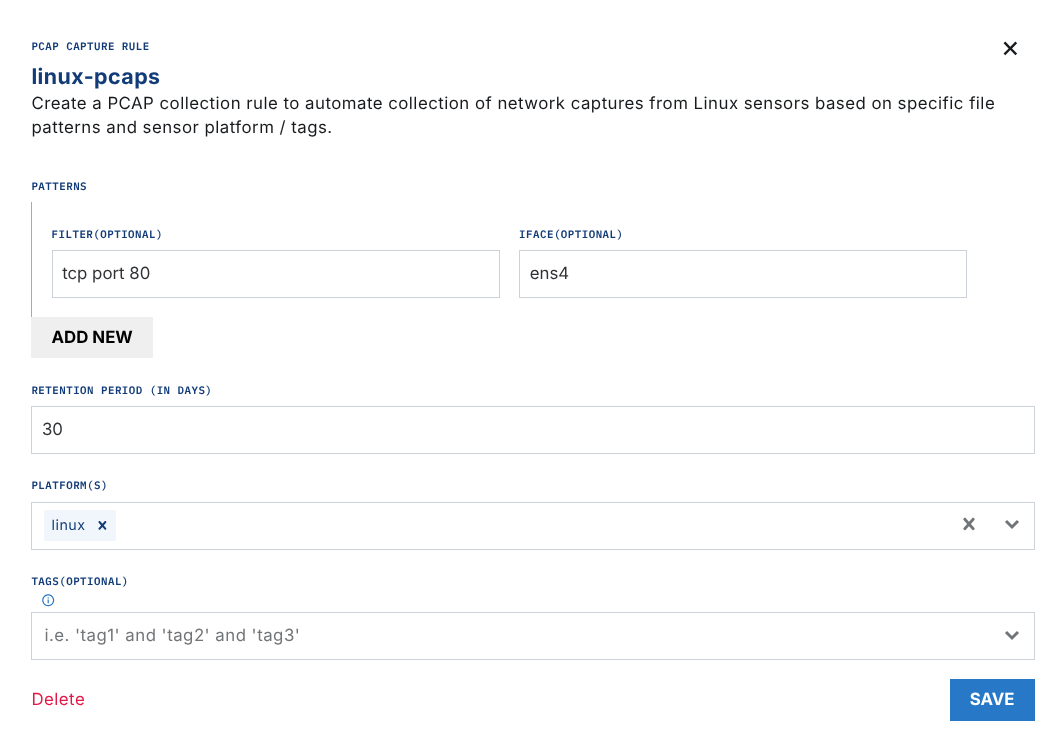
Once ~30MB of traffic has been collected, a PCAP will be uploaded as an artifact in LimaCharlie. Subsequent PCAPs will continue to be uploaded as additional PCAPs as they hit the size threshold.
All PCAPs uploaded will trigger the D&R rule below.
Via Manual PCAP Upload
If you have already generated a PCAP on a system or systems, you can manually ingest those as artifacts by running the following in your sensor console:
This will trigger the D&R rule below.
D&R Rule
Detect:
Respond:
- action: extension request
  extension action: run_on
  extension name: ext-zeek
  extension request:
    artifact_id: '{{ .routing.log_id }}'
    retention: 30
Migrating D&R Rule from legacy Service to new Extension
Note: LimaCharlie has migrated from Services to Extensions. Legacy services are no longer supported.
The Python CLI gives you a direct way to assess if any rules reference legacy zeek service, preview the change and execute the conversion required in the rule "response".
Command line to preview zeek rule conversion:
A dry-run response (default) will display the rule name being changed, a JSON of the service request rule and a JSON of the incoming extension request change.
To execute the change in the rule, explicitly set --dry-run flag to --no-dry-run
Command line to execute zeek rule conversion: